






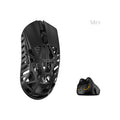
![Pulsar TenZ 2.0 Signature Edition [Pro Series]](http://waimers.in/cdn/shop/files/TenZ2.0_Top_v.png?v=1790280058&width=800)
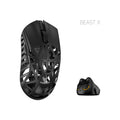
![Pulsar [Pro Series] Susanto-X 2.0 Gaming Mouse](http://waimers.in/cdn/shop/files/Susanto-X_20_Panthom-Jungle_top_large_da1dc919-3823-4032-9a05-6c6ba2b3975e.webp?v=1788783197&width=800)






![Pulsar [Pro Series] Jinggg-X Medium Gaming Mouse](http://waimers.in/cdn/shop/files/Pulsar-jingggX_top_large_3b9147c5-4003-4c18-bc3d-8131064c2b18.webp?v=1783883297&width=800)




![Oni's Oath Glass Pad [鬼の誓い] - Limited Edition](http://waimers.in/cdn/shop/files/image_bb601c8e-0651-4702-b96f-abd41acfdbd3.png?v=1756477743&width=800)
![Jinsoku Edgeless Speed Mousepad - [迅速]](http://waimers.in/cdn/shop/files/JinsokuEdgeless-L-MidnightPurple.jpg?v=1768143245&width=800)
![Wraith Ace Series [Ravenfall] Limited Edition Poron Mousepad](http://waimers.in/cdn/shop/files/48x48_siralama_99aaa6eb-5f9d-406f-a019-92dbcd7025b4.webp?v=1787263809&width=800)





Mouse Notes 01
What is a Mouse made of?
Introduction
- A mouse = lots of small parts working together.
- Some parts you can see (shell, skates, wheel), some are hidden inside (chip, sensor, battery).
- Knowing the parts means you can compare mice properly before you buy, not just go on marketing.
The 22 Parts (ranked, #1 matters most)
(colours below: outside, brain, buttons, power, small parts)
outside brain buttons power small parts-
Shell: Outer body. Decides shape, size, grip feel. TOP 6
~ like: a shoe - best sole is useless if it doesn't fit
-
Sensor: Tiny camera under the mouse, tracks movement. TOP 6
~ like: the eye
-
Lens: Clear piece that focuses light onto the pad. TOP 6
~ like: glasses for the eye
-
MCU (chip): The brain. Reads sensor + buttons, talks to the PC. TOP 6
~ like: the brain giving orders
-
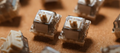
Main click switches: Under left & right click. Mechanical or optical. TOP 6
~ like: a light switch pressed 1000s of times
-
Skates (feet): Glide pads on the bottom. PTFE or glass. TOP 6
~ like: ice skates
-
Wireless radio + antenna: Sends the 2.4GHz signal to the PC.
~ like: a walkie-talkie
-
Receiver (dongle): USB piece in the PC that catches the signal.
~ like: the other walkie-talkie
-
Main PCB: Circuit board holding + connecting everything.
~ like: roads of a city
-
Battery: Lithium battery for wireless mice.
~ like: fuel tank
-
Charging circuit: Small chips that charge the battery safely.
~ like: a guard for the fuel tank
-
Scroll encoder: Detects wheel turns, makes the 'steps'.
~ like: ticks of a dial
-
Scroll wheel: The wheel you roll. Rubber or plastic.
~ like: a bicycle wheel
-
Middle click switch: The switch under the scroll wheel.
~ like: a doorbell under the wheel
-
Side buttons + small PCB: Side switches, often on their own little board.
~ like: shortcut keys for the thumb
-
Flex cables: Thin ribbon wires linking boards.
~ like: nerves
-
Onboard memory: Saves DPI + settings inside the mouse.
~ like: a memory card
-
USB-C port: For charging or wired use.
~ like: phone charging port
-
Cable: Wired mice only. Paracord = soft, rubber = drags.
~ like: earphone wire
-
DPI button: Changes cursor speed.
~ like: gear shifter
-
LEDs / RGB: Status light or decoration.
~ like: car lights
-
Frame + screws: Hold it all together (hidden under the skates).
~ like: the skeleton
Parts vs What you Feel
| Shape & size | → | Shell |
| Weight | → | ALL parts added (shell + battery biggest) |
| Grip style | → | your hand, NOT the mouse |
| Click feel | → | switches + shell button design |
| Glide | → | skates |
| Tracking | → | sensor + lens + MCU |
| Polling / latency | → | MCU + wireless radio |
| Battery life | → | battery + MCU efficiency |