






![Pulsar TenZ 2.0 Signature Edition [Pro Series]](http://waimers.in/cdn/shop/files/TenZ2.0_Top_v.png?v=1790280058&width=800)
![Pulsar [Pro Series] Susanto-X 2.0 Gaming Mouse](http://waimers.in/cdn/shop/files/Susanto-X_20_Panthom-Jungle_top_large_da1dc919-3823-4032-9a05-6c6ba2b3975e.webp?v=1788783197&width=800)






![Pulsar [Pro Series] Jinggg-X Medium Gaming Mouse](http://waimers.in/cdn/shop/files/Pulsar-jingggX_top_large_3b9147c5-4003-4c18-bc3d-8131064c2b18.webp?v=1783883297&width=800)




![Oni's Oath Glass Pad [鬼の誓い] - Limited Edition](http://waimers.in/cdn/shop/files/image_bb601c8e-0651-4702-b96f-abd41acfdbd3.png?v=1756477743&width=800)
![Jinsoku Edgeless Speed Mousepad - [迅速]](http://waimers.in/cdn/shop/files/JinsokuEdgeless-L-MidnightPurple.jpg?v=1768143245&width=800)
![Wraith Ace Series [Ravenfall] Limited Edition Poron Mousepad](http://waimers.in/cdn/shop/files/48x48_siralama_99aaa6eb-5f9d-406f-a019-92dbcd7025b4.webp?v=1787263809&width=800)





Mouse Notes 05
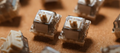
Click Switches
Introduction
- Switch = the tiny part under left + right click that tells the MCU 'a click happened'. TOP 6 part (#5).
- You click THOUSANDS of times a day, so feel, speed and reliability all matter.
- 2026 = the year MAGNETIC switches arrived in mice. One of the biggest changes to check before you buy.
~ like: a light switch you press thousands of times - if it flickers, it's useless.
1. The switch family tree
~ like: phones: keypad phones (mechanical) -> touchscreens (optical) -> face unlock (magnetic = no touching at all).
2. Mechanical switch (the classic)
Press -> leaf snaps -> metal contacts touch -> CLICK.
Problem: metal BOUNCES for a few ms after touching, like a ruler slapped on a desk vibrates.
Bounce vs clean signal:
- Debounce: de + bounce = removing the bounce. A short wait (often ~5-15ms) where extra signals are ignored so 1 press = 1 click.
-
Double-click problem: contacts wear out -> bounce gets worse -> one press becomes TWO clicks.
e.g. Chinese-made Omrons in older Logitech G Pro and G502 got famous for double-clicking.
~ like: an old TV remote button that sometimes changes 2 channels with one press.
3. SPDT (2 contacts)
-
How it helps: the mouse knows which contact was touched LAST (SR-Latch logic), so it can ignore bounce without a long debounce wait.
e.g. G-Wolves Lycan / VUK: Huano SPDT + SR-Latch - G-Wolves claims ~30ms faster.
e.g. Ninjutso Sora V3: SPDT HyperSwitch, marketed as won't double-click.
e.g. Endgame Gear Kailh GX: top and bottom contacts, 'GX Speed Mode' or 'GX Safe Mode'.
~ like: a railway track switch - one moving rail, two tracks. The station always knows which track the train is on.
4. Optical switch
~ like: the beam at a lift door - break the beam and it reacts instantly, nothing touches.
- Pros: no debounce, no bounce double-clicks, long life (often rated up to ~100M clicks).
-
Cons: early ones felt mushy - modern ones mostly closed the gap.
e.g. Razer made in-house optical switches after the double-click drama - first in the Razer Viper. Gen-1 felt mushy, Gen-3 in the Basilisk V3 Pro (claims 90M clicks), now Gen-4 in the Viper V4 Pro.
Razer's own optical switches, generation by generation:
- Gen-4 - now, in the Viper V4 Pro
- Gen-3 - in the Basilisk V3 Pro, claims 90M clicks
- Gen-1 - first Razer Viper, felt mushy
-
Hybrid: optical detection + a real mechanical leaf for the crisp click.
e.g. Logitech LIGHTFORCE (LIGHT = optical, FORCE = mechanical feel) - first in the G502 X, also the G309.
~ like: an electric car with a real engine sound - electric speed, familiar feel.
5. MAGNETIC switches (the 2026 wave)
Magnetic tech already fixed drifting controller sticks (Hall effect) and made keyboards faster (rapid trigger). In 2026 it reached mice.
~ like: a car parking sensor - it knows how close you are WITHOUT touching.
The 3 magnetic types:
- Hall effect (HE): named after scientist Edwin Hall (1879): a magnetic field creates a tiny measurable voltage. A magnet moves with the button, the sensor measures how close it is.
-
TMR: Tunnel MagnetoResistance: electrons 'tunnel' through an ultra-thin wall between 2 magnetic layers; how easily they pass changes with the magnet. Commonly described as more sensitive and lower power than Hall.
~ like: Hall = normal thermometer, TMR = a more sensitive digital one.
~ like: Hall effect - feeling a fire's heat grow as you walk closer, without touching it.
-
Inductive: from electromagnetic induction: a coil's field changes as a metal part gets closer -> measures press depth.
~ like: the airport metal detector, or an induction cooktop that knows when a steel pan is placed on it.
~ like: haptic click = your phone's vibration keyboard - no real button moves, but your finger FEELS a tap.
What magnetic unlocks:
-
Adjustable actuation: YOU choose how deep the press must go to count.
~ like: a phone camera - half-press to focus, full press to shoot - you choose where the 'shot' happens.
-
Rapid Trigger: the button 'rapidly' resets - a new click registers as soon as your finger starts lifting.
~ like: a normal door must close fully before reopening. Rapid trigger lets you reopen it the moment it starts closing.
- No wear double-clicks: no metal contact = no bounce = no contact-wear double-clicking.
Magnetic mice (real examples):
-
Logitech G Pro X2 Superstrike: released 10 February 2026 - the one that started the wave. HITS = Haptic Inductive Trigger System: tiny haptic motors + inductive sensors replace the microswitch. Actuation adjustable in 10 levels. Silent buttons.
Independent tests show: 8-9% faster in pure reaction tests, ~20% more clicks/sec with rapid trigger when butterfly/jitter clicking.
(caveat: the 30ms advantage needs the LOWEST actuation setting - you'll need to unlearn resting tension on your fingers)
(turned off, the buttons feel like almost nothing - 'like a broken mouse')
India price: ₹23,995.
- Finalmouse Starlight X: 38g, TMR sensing for rapid trigger + adjustable actuation, but the click feel itself is not adjustable. Custom F1 sensor (with PixArt) + Nordic nRF54LM20.
- Keychron MagOptic: MagOptic = Magnetic + Optical. Real mechanical leaf click, detection by optical OR magnetic mode. Fixes the 'no real click' complaint about the Superstrike.
- G-Wolves HTS Plus Pro: TMR magnetic main switches.
- Coming next: RAWM Leviathan V4 GT (hybrid optical-magnetic), an Everglide magnetic mouse, a leaked Logitech X3 Superstrike (+50% battery reported).
6. Who makes switches?
- Omron (Japan): the classic, historically in a big share of mice. D2FC-F-7N (20M) + D2FC-F-K (50M, 'Blue Dot' - known for double-clicking in some Logitech and Razer mice). Japanese vs Chinese-made can feel and last differently.
- Kailh (China): many types: GM 8.0, GX (with Endgame Gear), GM Red Dot (60M, 24K gold-plated contacts), optical and magnetic variants.
- Huano (China, since 1987): firm, tactile click. Supplies HP, Lenovo, ASUS, MSI. Blue Shell Pink Dot, Huano 50M, Huano SPDT (G-Wolves).
- TTC (China): modder favourite. TTC Gold (light), TTC Silver (~52gf).
- Razer (in-house): own optical switches, not sold separately.
- Logitech (in-house): LIGHTFORCE hybrid + HITS inductive.
- Keychron: MagOptic hybrid optical + Hall (Keychron G6 HE).
- Others: Zippy, Honeywell, ZF/Cherry appear in switch comparison sheets.
~ like: tyre brands: MRF, Apollo, CEAT all make tyres - same job, different feel, grip and life.
!! Community claim: Chinese Omron '-K' switches fare better than older ones but can still fail after about a year of heavy use.
7. The big comparison
- Mechanical: real click - yes · debounce - yes · double-click risk - higher · adjustable actuation - no · rapid trigger - no
- SPDT: real click - yes · debounce - very short · double-click risk - low · adjustable actuation - no · rapid trigger - no
- Optical: real click - yes* · debounce - no · double-click risk - very low · adjustable actuation - no · rapid trigger - no
- Hybrid: real click - yes · debounce - no · double-click risk - very low · adjustable actuation - no · rapid trigger - no
- Magnetic: real click - leaf or haptic · debounce - no · double-click risk - very low · adjustable actuation - YES · rapid trigger - YES
(* early optical felt mushier. 'Hybrid' = LIGHTFORCE-style. Magnetic features depend on the mouse.)
~ like: choosing a phone - every type makes calls - the difference is battery life, speed and features.
8. Click latency - keep it honest
~ like: in cricket, a faster bat helps - but the batter still needs ~200ms+ to react to the ball.
-> switch speed helps, but your own reaction time is MUCH bigger. Keep this in mind before you buy - a switch's raw speed matters less than the marketing suggests.
9. It's not just the switch
-
Button tension system: how the shell button presses on the switch. This is why the SAME switch feels different in 2 mice.
e.g. Logitech G502 HERO: metal spring tensioning + metal pivot hinges. Ninjutso HyperClick: tension system aimed at removing pre-travel.
~ like: two doors with the same lock but different hinges - one opens smooth, one feels stiff.
-
Silent switches: quieter clicks for office / late-night use - softer feel.
~ like: typing in a library or late at night while family sleeps.
10. Which switch for which player?
| Butterfly / drag click | → | low-debounce mechanical | Kailh GM 8.0, Huano Blue Shell Pink Dot |
| MOBA / RTS | → | light switches | Japanese Omron, TTC Gold |
| Tactical shooters | → | firmer click | Huano - harder to misclick |
| Semi-auto spam | → | magnetic + rapid trigger | Superstrike-style |
11. 'My mouse double-clicks - what now?'
- Test: run an online double-click test.
- Debounce: raise it in software.
- Warranty: claim if covered.
- Replace: hot-swap or solder.
Next mouse? Consider optical, hybrid, SPDT or magnetic switches.
~ like: a worn shoe sole - you can re-sole it (replace switch) or buy shoes that don't wear that way.
12. Switch Dictionary (why it's called that)
- Microswitch: a very small switch - what sits under every mouse button.
- Leaf spring / 'shrapnel': the thin metal strip that snaps. Chinese spec sheets often translate it as 'shrapnel'.
- SPDT: Single Pole Double Throw - one moving part (pole) that can touch two positions (throws). Like a railway track switch.
- SR-Latch: Set-Reset latch - logic that remembers which contact was touched last.
- Optical: from 'optics' = light. Infrared beam gets blocked.
- LIGHTFORCE: Light (optical detection) + Force (mechanical feel).
- Hall effect: named after Edwin Hall, 1879.
- TMR: Tunnel MagnetoResistance.
- HITS: Haptic Inductive Trigger System (Logitech).
- Haptic: from the Greek word for TOUCH - the tiny vibration that fakes a click.
- MagOptic: Magnetic + Optical (Keychron).
- Actuation point: from 'actuate' = put into action. The depth where the click counts.
- Rapid Trigger: the trigger resets rapidly.
- Hysteresis: the gap between the press point and release point. Rapid trigger removes the fixed gap.
- Debounce: de + bounce = removing the bounce.
- 20M / 50M / 100M: rated lifespan in MILLIONS of clicks - a lab rating, not a promise.
- gf: gram-force - pressing force. ~52gf = like 52 grams pushing down.
- Blue / Pink / Red Dot: coloured dot marking the switch variant.
- Gold-plated contacts: gold doesn't rust/oxidise, so contacts stay clean longer.
- Hot-swap: change switches without soldering - like replacing a bulb, not rewiring the lamp.
- Pre / post-travel: button movement before / after the click.
13. What to check before you buy
- run an online double-click test
- check the debounce setting in software (lower = faster, riskier on mechanical)
- check pre-travel and post-travel on BOTH buttons
- check for side-to-side button wobble
- ask the seller for the switch type and brand (or check the spec sheet)
- MAGNETIC: how many actuation levels? does rapid trigger feel natural?
- MAGNETIC: haptic strength and battery cost - does it feel like a real click?
- sound: loud / quiet / silent